Odisha Land Record Online – Check Bhulekh, RoR, Khatiyan and Plot Details
Checking land records is an important step for landowners, farmers, buyers and legal heirs in Odisha. Whether you want to verify a landholder's recorded details, find a Khatiyan, check a Plot Number or review the Record of Rights, Odisha provides an online land-record system known as Bhulekh Odisha.
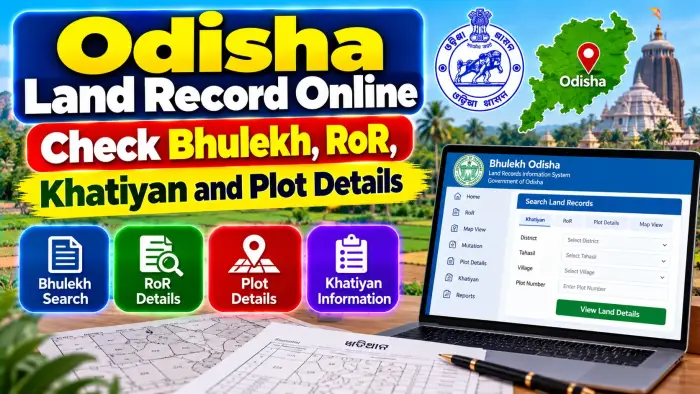
The Bhulekh portal allows citizens to access land information digitally without depending entirely on physical record searches. Users can select the location of the property and search the available Record of Rights using a Khatiyan Number, Plot Number or Tenant details.
The portal also provides access to plot information and map-related services. However, online land information should be understood carefully. A revenue record is important for property verification, but complete legal title verification can require registered deeds, mutation records, inheritance documents and other relevant records.
This guide explains Odisha Land Record Online, Bhulekh, RoR, Khatiyan and Plot Details and how to search the correct property information.
Odisha Land Record Online – Quick Overview
| Details | Information |
|---|---|
| State | Odisha |
| Online Land Record System | Bhulekh Odisha |
| Department | Revenue & Disaster Management |
| Main Record | Record of Rights (RoR) |
| Land Account Reference | Khatiyan |
| Parcel Identifier | Plot Number |
| Search by Khatiyan | Available |
| Search by Plot | Available |
| Search by Tenant | Available |
| Main Location Details | District, Tahasil and Village |
| RI Circle | Used in applicable services |
| Plot Details | Available |
| Tenant Details | Available |
| Rent & Cess Details | Available |
| Map View | Available |
| Language | English and Odia |
What Is Bhulekh Odisha?
Bhulekh Odisha is the state's online land-record portal associated with the Revenue & Disaster Management Department.
It provides digital access to land-parcel information maintained in the land-record system.
Citizens can use Bhulekh to check RoR information and search land using different property references.
The portal is particularly useful when you already know the District, Tahasil and Village where the property is located.
Instead of searching only by a person's name, Bhulekh provides structured options such as Khatiyan, Plot and Tenant-based searches.
What Is RoR in Odisha Land Records?
RoR stands for Record of Rights.
It is an important revenue record that contains information associated with rights and interests recorded against land.
An RoR can contain information relating to the recorded tenant or landholder, land particulars, rent and cess and the plots connected with the holding.
The Odisha Bhulekh system separates useful information across the RoR pages. Tenant and rent-related information can be viewed on the applicable front page, while plot details can be checked through the back page.
This makes RoR an important starting point for researching a property.
What Is a Khatiyan?
A Khatiyan is an important reference used for a landholding in Odisha's land-record system.
The Khatiyan Number can be used to locate the corresponding RoR after selecting the correct property location.
A Khatiyan may be associated with landholding information and one or more applicable plots.
Therefore, Khatiyan Number and Plot Number should not automatically be treated as the same thing.
Khatiyan relates to the landholding record, while the Plot Number identifies a particular land parcel.
What Is a Plot Number?
A Plot Number identifies a specific parcel within the applicable land-record and village context.
It is one of the most useful references when you want to check a particular piece of land.
Bhulekh allows users to search using Plot Number after selecting the appropriate District, Tahasil and Village.
When checking a Plot Number, always verify the complete location.
The same numerical Plot Number may exist in different villages, so the number alone is not enough to identify a property.
How to Check Odisha Land Records Online
Start with the official Bhulekh Odisha land-record portal.
Open the RoR viewing service.
Select the District where the land is located.
Choose the appropriate Tahasil.
Select the Village.
Choose the applicable search method.
You can search using the Khatiyan Number, Plot Number or Tenant information depending on the record you know.
Select or enter the requested information.
Submit the search and review the displayed RoR.
Check both the relevant front-page and back-page information where necessary.
The exact appearance of the portal can change, so follow the current options displayed by the official Bhulekh system.
How to Search by Khatiyan Number
If you know the Khatiyan Number, first select the correct District, Tahasil and Village.
Choose Khatiyan as the search option.
Select the applicable Khatiyan Number from the available record.
Then view the RoR information.
Check the recorded tenant or landholder details and compare the plots associated with the Khatiyan.
If you are verifying property for a transaction, make sure the Khatiyan details correspond with the Survey/Plot information mentioned in your registered property documents.
How to Search by Plot Number
A Plot Number search is useful when you know the exact parcel reference but do not know the Khatiyan Number.
Select the District, Tahasil and Village.
Choose Plot as the search option.
Select the relevant Plot Number.
Open the corresponding RoR information.
Review the Khatiyan and tenant information connected with that plot.
This can help you move from a known parcel number to the corresponding landholding record.
How to Search by Tenant Details
Bhulekh also provides a Tenant-based search option.
This can be useful when you know the recorded person's information but do not have the Khatiyan or Plot Number readily available.
First select the correct District, Tahasil and Village.
Then choose the Tenant search option.
Review the available records carefully.
A name alone should not be considered enough to identify a property because multiple people can have similar names.
Always match the person with the Khatiyan, Plot Number and other property details.
What Details Can You Check in RoR?
Odisha Bhulekh provides several useful categories of information through the RoR.
The applicable front page can show tenant details and information relating to rent and cess.
The back page can be used to review the plots connected with the record.
Depending on the property, the record can also provide other land-related particulars maintained in the revenue database.
When checking a property, compare the information across the complete RoR rather than relying on only one displayed field.
How to Check All Plot Details
If a Khatiyan is connected with multiple plots, it is important to examine all relevant parcel information.
Bhulekh's official guidance directs users to the RoR Back Page for plot details.
Check each Plot Number carefully.
Compare the area and other applicable particulars with your property documents.
This is particularly important when a transaction involves only one plot out of several plots recorded under the same landholding.
Do not assume that ownership or rights associated with one plot automatically apply in exactly the same way to every plot under a Khatiyan.
How to Check Odisha Land Map Online
Bhulekh also provides a Map View facility.
The current map service uses location and parcel details such as District, Tahasil, Village, RI Circle and Plot Number to identify the applicable plot map.
This can be useful for visually understanding the location of a parcel.
However, an online cadastral map should not automatically be treated as a replacement for an official field demarcation when an exact boundary is disputed.
For boundary-related legal or physical disputes, the applicable official survey or demarcation procedure may be required.
What Is Plot Unique ID?
Odisha Bhulekh also provides a service for viewing plot details using a Plot Unique ID.
The portal can help users identify a Plot Unique ID using the applicable District, Tahasil, Village, Khatiyan and Plot information.
A unique plot reference can help distinguish a specific land parcel more clearly in the digital system.
When using this feature, make sure every location and land-record field corresponds with the property you are researching.
Khatiyan vs Plot Number
Khatiyan and Plot Number have different functions.
A Khatiyan Number relates to a landholding record.
A Plot Number identifies a particular land parcel.
One Khatiyan can potentially be connected with multiple plots depending on the record.
Therefore, checking only the Khatiyan without reviewing the corresponding plots may not provide enough information for a specific parcel.
Similarly, when starting with a Plot Number, check the corresponding Khatiyan and recorded tenant information.
RoR and Mutation
Land records may need to be updated when rights in a property change.
This process is commonly associated with mutation.
Mutation may become relevant following an applicable sale, inheritance, gift, partition or other legally recognized event.
A registered property transaction and mutation are not the same process.
If land has recently changed hands, compare the registered documents with the current RoR to see whether the expected revenue-record changes are reflected.
RoR After Inheritance
Inheritance can also result in changes to land records.
When a recorded landholder dies, eligible successors may need to follow the applicable process for updating the revenue records.
Supporting succession or inheritance documents can be required depending on the circumstances.
After an approved change, the updated RoR should be reviewed to check whether the relevant landholding information is properly reflected.
Where inheritance is disputed, additional revenue or legal proceedings may be necessary.
What If Bhulekh Details Are Incorrect?
First confirm that you selected the correct District, Tahasil and Village.
Then verify the Khatiyan and Plot Number.
Compare the online information with older RoR documents, registered deeds and mutation records.
If a genuine discrepancy remains, contact the appropriate Tahasil or land-record authority and use the applicable official correction procedure.
Do not rely on unknown agents or websites promising instant changes to government land records.
Odisha Land Records Before Buying Property
Bhulekh can be useful for preliminary property verification.
Start with the seller's registered documents.
Identify the correct Khatiyan and Plot Number.
Check the corresponding RoR.
Compare the recorded tenant or landholder information.
Review all applicable plots.
Check the map where parcel identification is useful.
Also examine relevant mutation, registration, inheritance and encumbrance-related records where applicable.
For a major property transaction, consider obtaining appropriate professional verification of the title documents.
Does Odisha RoR Prove Legal Ownership?
An RoR is an important revenue record, but it should not automatically be treated as the only conclusive proof of legal ownership.
A property's title history can depend on registered sale deeds, inheritance documents, gift or partition deeds, court orders and other legally relevant records.
Mutation history and survey information can provide additional context.
Therefore, complete title verification should involve examination of all relevant documents rather than relying only on an online Bhulekh entry.
Frequently Asked Questions (FAQ)
1. What is Bhulekh Odisha?
Bhulekh is Odisha's online land-record portal for checking applicable RoR, Khatiyan, Plot and Tenant information.
2. Can I check Odisha RoR online?
Yes. Bhulekh provides online access to applicable Record of Rights information.
3. How can I search my land record?
Select the District, Tahasil and Village and then search using Khatiyan, Plot or Tenant information.
4. What is a Khatiyan Number?
It is an important reference associated with a landholding record in Odisha.
5. What is a Plot Number?
A Plot Number identifies a particular land parcel within the applicable village and land-record system.
6. Is Khatiyan Number the same as Plot Number?
No. Khatiyan relates to the landholding record, while Plot Number identifies a particular parcel.
7. Can I check all plots under a RoR?
Yes. Bhulekh's official guidance says plot details can be checked on the RoR Back Page.
8. Can I view a land map online?
Yes. Bhulekh provides a Map View service for applicable plots.
9. What should I do if the online record is incorrect?
Verify the property details first and then contact the concerned Tahasil or land-record authority if a genuine discrepancy remains.
10. Does an online RoR alone prove legal ownership?
No. Complete title verification can also require registered deeds and other relevant legal, mutation, registration and survey records.
Conclusion
Odisha Land Record Online services through Bhulekh make it easier to check important property information using RoR, Khatiyan Number, Plot Number and Tenant details.
To find the correct record, start by selecting the District, Tahasil and Village. You can then use the available Khatiyan, Plot or Tenant search option to locate the applicable RoR. Review both the landholder-related information and all relevant plot details carefully.
Bhulekh's Map View and Plot Unique ID services can provide additional help in identifying a particular parcel.
For important property matters, do not rely on a single online entry. Compare the Bhulekh RoR with registered property documents, mutation history and relevant survey or inheritance records to develop a clearer understanding of the property's recorded history and current land details.