Punjab Land Mutation Status – How to Check Intkal Entries and Record Updates
Land records may need to be updated when ownership or recorded rights in a property change. In Punjab, this revenue-record update is commonly associated with Mutation, also known as Intkal. Mutation can become relevant after events such as a registered property transaction or inheritance.
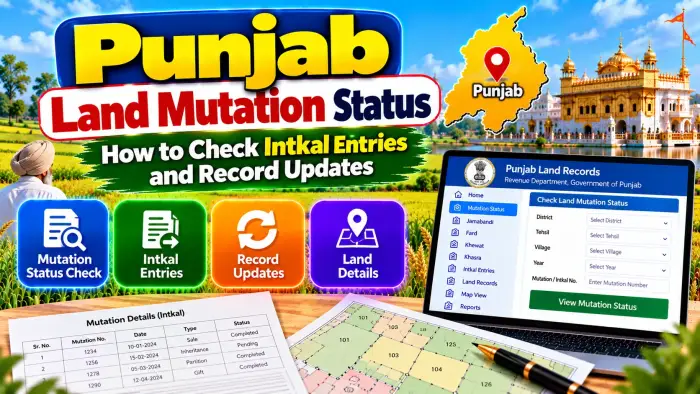
Punjab's online Land Records system provides services for viewing Mutation or Intkal entries and checking the status of certain mutation requests. Citizens can also compare mutation information with the current Jamabandi to understand whether expected changes are reflected in the revenue record.
Understanding mutation is particularly important for landowners, buyers and legal heirs. A registered deed and mutation are related to a property transaction but perform different functions.
This guide explains Punjab Land Mutation Status, how to check Intkal entries, how mutation requests can be tracked, and how to verify related updates in land records.
Punjab Land Mutation Status – Quick Overview
| Details | Information |
|---|---|
| State | Punjab |
| Revenue Record System | Punjab Land Records |
| Mutation Name | Mutation / Intkal |
| Mutation Viewing | Available |
| Search Method | Mutation No. Wise |
| Jamabandi Period | Current / Previous |
| Location Details | District, Tehsil and Village |
| Record Year | Selectable |
| Inheritance Mutation Request | Available |
| Registered Deed Mutation Request | Available |
| Request Status | Available |
| Status Categories | Closed / Pending / Rejected |
| Related Record | Jamabandi |
| Registered Deed View | Available |
| Record Correction | Fardbadar service |
What Is Mutation or Intkal in Punjab?
Mutation, commonly called Intkal, is associated with recording an applicable change in rights in the revenue record.
When land changes hands or rights change because of a qualifying event, the corresponding revenue records may require updating.
For example, mutation can become relevant after a registered property transaction or inheritance.
The mutation entry helps connect the change with the land revenue record.
However, mutation should not be confused with the registered deed itself. Registration and mutation are separate aspects of property documentation and land-record administration.
Why Is Mutation Important?
Revenue records are used to maintain information about landholdings and recorded rights.
When an applicable change occurs, an outdated record may continue to show an earlier landholder until the relevant process is completed and reflected in the records.
Checking mutation can therefore help a landowner understand whether an expected change has entered the revenue-record system.
Mutation information can also be useful when comparing the current Jamabandi with older property documents.
For buyers, it can form one part of broader property verification.
How to Check Punjab Mutation Online
Punjab Land Records provides a View Mutation section.
The available search method is Mutation No. Wise.
Start by selecting the relevant Jamabandi Period, such as Current or Previous.
Choose the District where the land is situated.
Select the correct Tehsil.
Choose the Village.
Select the relevant Year.
Then proceed to the Mutation Number Wise option and locate the applicable Intkal entry.
Carefully compare the result with the property and revenue records available to you.
What Information Is Needed for Intkal Search?
Keep the correct property details ready before checking an Intkal entry.
The official Mutation section currently uses information such as the Jamabandi Period, District, Tehsil, Village and Year before users proceed to the Mutation Number Wise record.
If you already have the Mutation or Intkal Number from an existing document, use it to identify the relevant entry.
Avoid guessing a mutation number. An incorrect location or reference could lead you to a record unrelated to your property.
What Is a Mutation Number?
A Mutation Number or Intkal Number is the reference associated with a particular mutation entry.
It helps distinguish one mutation from another in the revenue-record system.
Do not confuse the Mutation Number with a Khewat Number, Khasra Number or Khatouni Number.
Khewat is associated with a proprietary holding, Khasra identifies an individual parcel or field, and Mutation Number refers to the applicable record of change.
These references can appear together when investigating the history of a landholding.
Mutation After a Registered Deed
Punjab's official Land Records system provides an online Request for Mutation on the basis of Registered Deed.
A registered deed records the applicable property transaction, while mutation relates to updating the corresponding revenue record.
Therefore, completing registration should not be described as exactly the same thing as completing mutation.
If you have purchased land through a registered deed, review the relevant mutation information and later compare the updated revenue details with the deed.
Mutation After Inheritance
Punjab Land Records also provides a Request for Mutation on the basis of Inheritance.
When a recorded landholder dies, applicable successors may need the revenue record to reflect the resulting change in rights.
The relevant inheritance mutation process should be followed with the information and documents required by the official service.
After the process is completed, users should check the corresponding land records again to see whether the expected update is reflected.
Inheritance rights themselves may depend on applicable succession law and supporting documents.
How to Check Mutation Request Status
The Punjab Land Records online-services section provides Request Status facilities for applicable mutation applications.
This includes requests based on Inheritance and Registered Deed.
The portal currently categorizes request status as Closed, Pending or Rejected.
If you have submitted an online mutation request, use the relevant Request Status option and provide the requested reference information.
A Pending status indicates that the request has not yet reached its final displayed outcome, while Closed or Rejected should be interpreted together with the information shown for that particular application.
Mutation Status vs Mutation Entry
Mutation request status and a mutation entry should not automatically be treated as the same thing.
The Request Status facility is useful for tracking an applicable online request.
The View Mutation – Mutation No. Wise facility is used for viewing an Intkal entry in the land-record system.
After a request has progressed, it can be useful to check both the mutation information and the relevant Jamabandi to understand what is reflected in the available revenue record.
How to Check Whether Jamabandi Has Been Updated
After checking the mutation, open the applicable Jamabandi.
Select the correct Current or Previous record period, District, Tehsil, Village and Year.
Search using the Owner Name, Khewat Number, Khasra Number or Khatouni Number as appropriate.
Compare the current landholder and parcel information with the documents supporting the change.
If the expected update does not appear, do not assume that the online record will change immediately. Check the applicable mutation/request information and contact the relevant revenue authority where necessary.
Mutation and Khewat Number
A Khewat Number relates to the proprietary or ownership holding in Punjab's revenue-record structure.
When mutation affects recorded rights in a holding, reviewing the relevant Khewat can help users understand the broader land account.
If the holding contains multiple parcels, identify which Khasra Numbers are affected by the particular transaction or inheritance.
Do not assume that a change relating to one parcel automatically applies to every parcel associated with a broader holding.
Mutation and Khasra Number
A Khasra Number identifies an individual land parcel or field.
When checking an Intkal, compare the affected land with the correct Khasra references.
This is especially important where a registered transaction covers only some parcels from a larger landholding.
Check each relevant Khasra against the registered document and available Jamabandi information.
This reduces the risk of confusing the transferred parcel with another field under the same or related holding.
What If the Previous Landholder Still Appears?
First verify that you are checking the correct property.
Confirm the District, Tehsil, Village, Khewat and Khasra information.
Then check the relevant Mutation Number and request status where applicable.
Compare the current Jamabandi with the registered deed or inheritance documents.
If the mutation has not been completed or reflected as expected, follow the official process or contact the competent revenue authority.
Do not assume that an older name in one online record by itself settles the current legal ownership question.
What If the Mutation Request Is Pending?
A Pending request should be checked through the official Request Status service.
Make sure the application details and property references are correct.
If further action or documentation is requested by the competent authority, follow the instructions provided for the application.
Punjab's official mutation dashboard also distinguishes different stages of pending cases, including cases awaiting entry, verification and sanction.
Processing time can vary, so avoid relying on unofficial claims that every mutation must be completed within the same fixed number of days.
What If a Mutation Request Is Rejected?
If the online status shows Rejected, check the available application information and determine the reason provided through the official process.
A rejection should not be corrected by submitting inaccurate information or changing land details unofficially.
Review the registered deed, inheritance documents and property references used in the request.
Where appropriate, contact the concerned revenue authority to understand the applicable next step.
The correct remedy depends on the reason for rejection and the underlying documents.
What Is Fardbadar?
Punjab Land Records provides an online service for Fardbadar, described as a request for correction in records.
Fardbadar and mutation should not automatically be treated as the same service.
Mutation deals with applicable changes in recorded rights, while Fardbadar is an available mechanism for applicable record corrections.
If the issue is an error in the existing land record rather than an unrecorded transfer or inheritance, determine which official process applies before submitting a request.
Mutation Status Before Buying Land
Mutation information can be useful during preliminary checks before purchasing land.
Start with the seller's registered property documents.
Identify the Khewat and relevant Khasra Numbers.
Check the current Jamabandi.
Review applicable Mutation or Intkal information.
Compare the registered deed and recorded landholder details.
If a recent transaction or inheritance is involved, check whether the expected revenue-record updates have occurred.
For a significant property purchase, also examine other relevant registration and legal documents rather than relying only on mutation status.
Does Mutation Prove Legal Ownership?
Mutation is an important revenue-record process, but a mutation entry should not automatically be treated as conclusive standalone proof of legal title.
Legal ownership can depend on the underlying registered deed, inheritance rights, gift or partition documents, court orders and other legally relevant records.
Mutation primarily helps reflect applicable changes in the revenue records.
Therefore, for complete property verification, review the mutation together with the registered and other relevant legal documents.
Frequently Asked Questions (FAQ)
1. What is Intkal in Punjab land records?
Intkal is the commonly used term for a mutation entry associated with an applicable change in the revenue record.
2. Can I check Punjab mutation online?
Yes. Punjab Land Records provides a View Mutation service with Mutation No. Wise lookup.
3. What details are required to view a mutation?
The official service currently asks users to select Jamabandi Period, District, Tehsil, Village and Year before proceeding with the mutation search.
4. Can I apply for mutation after a registered deed?
Punjab Land Records currently provides an online mutation-request service based on a Registered Deed.
5. Can inheritance mutation be requested online?
Yes. An online Request for Mutation on the basis of Inheritance is currently available.
6. Can I track my mutation request?
Yes. Request Status is available for applicable inheritance and registered-deed mutation requests.
7. What mutation request statuses are shown?
The online-services page currently identifies Closed, Pending and Rejected request-status categories.
8. Is mutation the same as property registration?
No. A registered deed and mutation perform different functions in property and revenue-record administration.
9. What should I do if an old landholder still appears?
Check the relevant mutation, current Jamabandi and supporting registered or inheritance documents. Contact the appropriate revenue authority if an expected update is missing.
10. Does a mutation entry alone prove ownership?
No. Complete title verification can also require registered deeds, succession documents and other legally relevant records.
Conclusion
Punjab Land Mutation Status provides an important way to check Intkal entries and record updates through the official Punjab Land Records system.
Users can access View Mutation – Mutation No. Wise after selecting the appropriate Jamabandi Period, District, Tehsil, Village and Year. Punjab also provides online mutation requests based on Inheritance and Registered Deed, along with Request Status facilities.
After checking an Intkal entry, compare the information with the current Jamabandi, relevant Khewat and Khasra details, and the underlying registered or inheritance documents.
Remember that mutation updates the revenue record but is different from the document or legal event that created the underlying rights. For important property transactions, mutation should therefore be examined together with the relevant registered and legal records.